Haptic Touchpad represents a significant advancement in user interface technology, offering an innovative way to engage with devices through tactile feedback. This technology harnesses the principles of haptic feedback, enabling users to experience sensations that replicate the feel of physical interactions even on flat surfaces. With components such as actuators and sensors working in harmony, haptic touchpads elevate user experiences by providing nuanced responses that enhance both functionality and enjoyment.
As we explore the evolution of haptic touchpads, it becomes evident how they have transformed from traditional touchpads to sophisticated devices that cater to diverse user needs. The integration of haptic features has not only improved the responsiveness of touch interactions but has also paved the way for applications in various industries, enhancing accessibility and user satisfaction.





Understanding the Technology Behind Haptic Touchpads
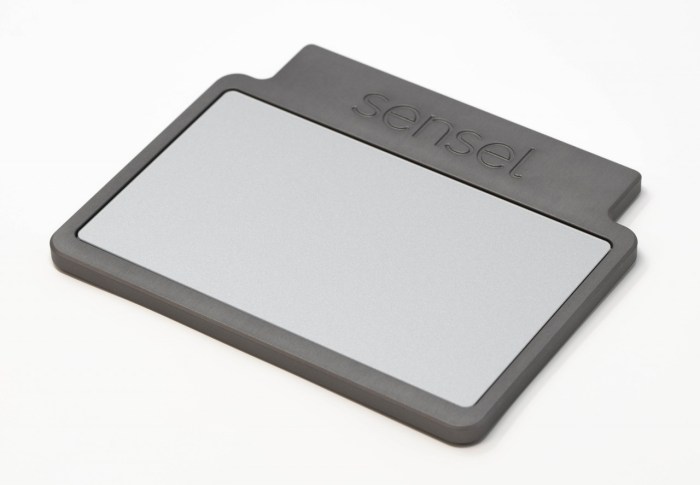
Haptic touchpads represent a significant leap in user interaction technology, bridging the gap between touch-based inputs and tactile feedback. This technology enhances the user experience by simulating the sensation of pressing physical buttons or interacting with virtual objects, thereby providing a more immersive and intuitive interface.The basic principles of haptic technology revolve around the use of vibrations and forces to create tactile sensations.
The underlying concept is simple: by generating specific patterns of vibrations, the user’s skin can perceive these stimuli as different textures or motions. This is achieved through the integration of actuators that convert electrical signals into mechanical movements. The effectiveness of haptic feedback hinges on the precision and timing of these vibrations, which can mimic real-world interactions.
Components of a Haptic Touchpad
A haptic touchpad comprises several critical components, each playing a distinct role in delivering tactile feedback. Understanding these components sheds light on how haptic touchpads function effectively.
Actuators
These are the core components responsible for producing vibrations. They can be piezoelectric, electromagnetic, or electrostatic actuators. Their choice impacts the quality and responsiveness of the haptic feedback.
Sensors
Touch sensors detect user input, such as finger position and pressure. Capacitive sensors are commonly used due to their high sensitivity and accuracy.
Microcontroller
This component processes the input from the sensors and sends commands to the actuators to generate the appropriate feedback. It typically runs specialized firmware to manage the timing and intensity of vibrations.
Software Interface
A software layer interprets user actions and defines the feedback patterns. This can be tailored to specific applications, enhancing the relevance of the feedback provided.Recent advancements in haptic technology have significantly improved the quality of haptic feedback in touchpads. One notable development is the introduction of advanced materials that allow for more nuanced vibrations and sensations. For instance, the use of dynamic friction materials can simulate varying textures, enabling the user to feel different surface types.
Furthermore, the integration of machine learning algorithms into the software interface enables adaptive feedback, allowing the device to learn user preferences and adjust the feedback patterns accordingly.Additionally, the miniaturization of components has permitted more compact designs without sacrificing performance. These advancements not only enhance user experience but also open new avenues for application in virtual reality environments, gaming, and more interactive consumer electronics.
The continuous evolution of haptic technology promises even richer interactions in the near future.
The Evolution of Haptic Touchpad Features
The development of touchpad technology has significantly transformed user interaction with laptops and other portable devices. From the initial basic designs to the sophisticated haptic touchpads we see today, each advancement has improved user experience and functionality. The introduction of haptic feedback in touchpads marks a crucial evolution, bridging the gap between traditional touch input and tactile sensation.The history of touchpad technology can be traced back to the early 1990s when the first touchpads were introduced as alternatives to the traditional mouse.
These early models relied on basic capacitive technology that allowed users to navigate the screen by simply gliding their fingers over a flat surface. Over the years, improvements in sensor technology and software algorithms led to more responsive and precise touchpads. The pivotal moment came with the integration of haptic feedback mechanisms, which allowed users to receive tactile responses upon touch.
This not only enhanced user confidence in their inputs but also enriched the overall interaction by providing a sense of touch that was previously absent in traditional touchpad designs.
Comparison of Traditional Touchpads and Modern Haptic Touchpads
The differences between traditional touchpads and modern haptic touchpads are pronounced, affecting both functionality and user experience. Traditional touchpads typically utilize a simple touch recognition system, relying solely on finger movement to execute commands. In contrast, haptic touchpads incorporate advanced technology that simulates the feeling of a physical button press, making interactions more intuitive.Key differences include:
- Feedback Mechanism: Traditional touchpads offer no tactile feedback. In contrast, haptic touchpads provide vibrations or physical sensations that simulate pressing a button, enhancing the user’s interaction.
- Precision and Control: Haptic touchpads allow for greater precision with gestures, as users receive immediate feedback, reducing the likelihood of errors during navigation.
- Customizability: Many modern haptic touchpads allow users to customize feedback intensity and patterns, providing a tailored experience that traditional touchpads cannot offer.
- Multi-touch Functionality: While traditional touchpads support basic multi-touch gestures, modern haptic models have advanced gesture recognition, enabling more complex commands with ease.
One of the earliest examples of a haptic touchpad can be found in Apple’s MacBook Pro series, which introduced the Force Touch trackpad in 2015. This innovative feature allows users to press down with varying levels of pressure to access different functions, showcasing the potential of haptic technology in enhancing user experience. Other notable devices that have successfully integrated haptic touchpads include the Microsoft Surface Laptop and various models of Dell XPS laptops, which utilize similar technology to enhance responsiveness and precision.
“The evolution of touchpad technology is a testament to the pursuit of more intuitive and efficient user interaction in modern computing.”
The Role of Haptic Feedback in User Experience
Haptic feedback plays a pivotal role in enhancing user interaction with various devices, providing a tactile element that significantly enriches the overall experience. By simulating the sensation of touch, haptic technology allows users to receive physical responses that correlate with their actions, bridging the gap between physical and digital interfaces. This interaction not only makes the experience more intuitive but also fosters greater user satisfaction and engagement.The integration of haptic feedback into user interfaces can be observed in numerous applications, enhancing usability and functionality.
In mobile devices, for instance, when a user types on a touchscreen, subtle vibrations can simulate the sensation of pressing a physical key. This tactile response can reduce typing errors and increase user confidence. Moreover, haptic feedback finds essential applications in gaming, where it heightens immersion by providing realistic sensations that reflect in-game actions, such as the impact of a collision or the recoil of a weapon.
Specific Scenarios of Haptic Feedback Benefits
Haptic feedback offers substantial advantages across various scenarios, enhancing the user experience in meaningful ways. Below are specific contexts where haptic feedback plays a crucial role:
- Mobile Gaming: In gaming, haptic feedback amplifies immersion, allowing players to feel actions such as explosions or impacts, making gameplay more realistic and engaging.
- Navigation: Haptic signals in navigation apps provide users with tactile cues, such as vibrations for turns, which can be especially beneficial for visually impaired users.
- Virtual Reality (VR): In VR environments, haptic feedback is essential for creating a sense of presence, enabling users to feel interactions, such as the sensation of touching virtual objects.
- Medical Simulations: Haptic technology is increasingly used in medical training, allowing practitioners to feel the resistance of tissue or the intricacies of surgical procedures, which enhances learning outcomes.
- Touchscreen Devices: Feedback during actions like scrolling or tapping reinforces confirmation of user inputs, thus improving efficiency and satisfaction.
The psychological effects associated with haptic feedback are significant, as tactile sensations can evoke emotional responses and enhance overall user satisfaction. Research indicates that users often prefer devices that provide haptic responses, as these can create a more engaging and enjoyable interaction. The sensation of touch can lead to an increased sense of control and confidence, resulting in a more positive perception of the product.
“The integration of haptic feedback transforms passive interactions into dynamic experiences, fundamentally altering how users engage with technology.”
In conclusion, the role of haptic feedback in user experience is multifaceted, encompassing practical benefits and profound psychological impacts that enrich interactions with technology. It is evident that as technology continues to advance, the importance of haptic feedback will only grow, serving as a critical component in the design of user-centered devices.
Designing Effective Haptic Feedback Patterns
The design of haptic feedback patterns plays a crucial role in enhancing user experience across various devices and applications. Effective haptic feedback provides users with physical sensations that correspond to their interactions, making the digital experience more intuitive and engaging. This guide Artikels best practices for developing haptic feedback patterns that resonate well with user expectations and enhance functionality.The significance of feedback strength and timing cannot be overstated in user interactions.
Appropriate adjustments in these parameters can drastically affect user perception and satisfaction. When feedback is well-timed and appropriately strong, it reinforces user actions and facilitates a seamless interaction flow. Conversely, poor feedback can lead to confusion and frustration among users.
Best Practices for Designing Haptic Feedback Patterns
Designing effective haptic feedback requires a thoughtful approach that considers user needs and device capabilities. Below are essential practices to consider:
- Understand the Context of Use: Identify the scenarios in which haptic feedback will be applied. Different contexts, such as gaming, notifications, or accessibility, may require distinct feedback patterns.
- Balance Strength and Duration: Adjust the intensity and duration of feedback. Stronger feedback may be necessary for critical alerts, while subtle vibrations can suffice for less important notifications.
- Create Distinct Patterns: Use varied patterns for different actions. For instance, a short burst may indicate a successful action, while a continuous vibration may signal an error.
- Test with Users: Conduct usability tests to gather feedback on haptic patterns. Real user insights can provide valuable information on effectiveness and preferences.
- Consider Accessibility: Ensure that haptic feedback is designed to accommodate users with different needs and preferences. Customizability can enhance user satisfaction.
- Stay Consistent: Consistency in haptic feedback patterns across similar actions fosters familiarity, allowing users to anticipate responses and enhancing their overall experience.
The following examples illustrate successful applications of haptic feedback in software design, demonstrating its positive impact on user interaction:
- Mobile Gaming: Many mobile games employ haptic feedback to simulate physical sensations, such as the recoil of a weapon or the impact of a collision. This feedback enhances immersion and makes gameplay more engaging.
- Smart Notifications: Applications like messaging or email use subtle vibrations to notify users of incoming messages. Customizable feedback settings allow users to differentiate between important alerts and less critical notifications.
- Accessibility Features: Devices like smartphones and tablets often include haptic feedback as part of their accessibility settings, providing users with tactile cues that enhance navigation and interaction.
“Effective haptic feedback not only enhances usability but also instills a sense of satisfaction and engagement in users.”
Applications of Haptic Touchpads in Various Industries
Haptic touchpad technology, known for providing tactile feedback to users, extends its versatility beyond consumer electronics into various professional industries. This technology enhances user interaction by simulating a physical response, which can significantly improve efficiency, accuracy, and user satisfaction in diverse applications.The implementation of haptic touchpads has been particularly beneficial in industries such as healthcare, automotive, gaming, and telecommunications. Each of these sectors utilizes haptic feedback to enhance operational performance and user experience.
The following sections Artikel specific use cases and applications within these industries, illustrating the impact of haptic touchpad technology.
Healthcare Applications
In the healthcare industry, haptic touchpads are revolutionizing the way medical professionals interact with devices and data. The feedback provided by haptic technology allows for precise control and enhances the usability of complex medical equipment.
- Telemedicine: Haptic feedback improves remote examinations by allowing healthcare providers to feel the virtual interactions with patients, making diagnoses more accurate.
- Surgical Simulation: Surgical training tools equipped with haptic touchpads enable trainees to practice delicate procedures with realistic feedback, improving their skill before actual operations.
- Patient Monitoring Systems: Haptic alerts in wearable devices help healthcare professionals respond quickly to patient conditions, enhancing overall patient safety and care.
Automotive Industry Use Cases
The automotive sector integrates haptic touchpads into vehicle interfaces, creating a more intuitive driving experience. By providing tactile feedback for various controls, these touchpads enhance driver interaction while minimizing distractions.
- Infotainment Systems: Haptic feedback is utilized in touch-based navigation systems to confirm user inputs, allowing drivers to maintain focus on the road.
- Climate Control: Haptic touchpads in climate control interfaces allow drivers to adjust settings without taking their eyes off the road, ensuring safety and comfort.
- Advanced Driver Assistance Systems (ADAS): Haptic warnings and alerts help drivers respond to critical situations, such as lane departure or collision warnings, through tactile cues.
Gaming and Entertainment
In the gaming industry, haptic touchpads enhance user engagement by providing immersive experiences through feedback that corresponds with in-game actions. This technology is integral in both hardware and software environments.
- Game Controllers: Haptic feedback in controllers allows players to feel vibrations and sensations associated with gameplay, increasing immersion.
- Virtual Reality: Haptic touchpads in VR headsets enable users to experience tactile sensations as they interact with virtual environments, creating a more realistic experience.
- Mobile Gaming: Enhanced touchpads in smartphones deliver nuanced feedback, allowing for more dynamic gameplay, improving user satisfaction and retention.
Telecommunications and Remote Work, Haptic Touchpad
The telecommunications sector is leveraging haptic touchpads to facilitate more effective communication and collaboration in remote work setups. This technology helps bridge the gap between physical and digital interactions.
- Touchscreen Devices: Haptic feedback on smartphones and tablets ensures accurate typing and navigation, reducing user errors during virtual communication.
- Collaboration Tools: Haptic touchpads integrated into collaborative software provide tactile feedback during meetings, allowing users to interact seamlessly with digital content.
- Training and Support: Haptic interfaces in troubleshooting applications guide users through processes with feedback that mimics real-world actions, enhancing learning and efficiency.
Statistics indicate that the use of haptic feedback in training simulations increases user retention rates by up to 70%, showcasing its effectiveness in enhancing learning experiences.
The Future of Haptic Touchpad Technology
As technology continues to evolve, haptic touchpads are poised to undergo significant advancements that will enhance user experience and interaction. Emerging trends indicate a shift towards more sophisticated feedback mechanisms, improved integration with artificial intelligence, and increased versatility across various applications.Innovations in haptic touchpad development are driven by the demand for more immersive user interfaces. Future touchpads may incorporate advanced technologies such as ultrasonic haptics, which utilize high-frequency sound waves to create tactile sensations without physical contact.
This development can enable devices to provide a more lifelike feel while maintaining a sleek design. Additionally, researchers are exploring the use of electrostatic fields that can simulate textures and resistances, making interactions more intuitive and engaging.
Emerging Trends in Haptic Technology
Several key trends are shaping the future of haptic touchpads. These trends include the following:
- Integration with Augmented Reality (AR) and Virtual Reality (VR): Haptic touchpads are likely to integrate more closely with AR and VR technologies, offering users tactile feedback that enhances immersion. For example, users may feel the texture of virtual objects, making digital interactions more realistic.
- Adaptive Feedback Systems: Future touchpads may employ machine learning algorithms that adapt feedback based on user preferences and behaviors. This personalization can create a more tailored user experience, responding dynamically to different applications, from gaming to professional software.
- Multi-sensory Experiences: There is a growing interest in creating multi-sensory interfaces that combine haptic feedback with auditory and visual elements. Such systems could enrich user interactions, creating environments that are both engaging and informative.
Challenges and Limitations of Future Implementations
As the technology matures, several challenges may arise that could impede the widespread adoption of advanced haptic touchpads:
- Cost of Development: The integration of sophisticated haptic technology may lead to increased production costs. This aspect can pose challenges for manufacturers aiming to keep their products affordable while integrating advanced features.
- Standardization Issues: With various manufacturers exploring different haptic technologies, a lack of standardization may hinder compatibility across devices and applications. Establishing common protocols will be essential for seamless integration.
- User Acceptance: Despite the advancements, some users may be resistant to adopting new haptic technologies due to discomfort or unfamiliarity. Educating users about the benefits and functionalities will be crucial for successful implementation.
Predictions for Haptic Touchpads in the Next Decade
Looking ahead, the evolution of haptic touchpads is expected to be marked by significant technological advancements and enhanced user experiences. Predictions for the next decade indicate that:
- Widespread Adoption in Consumer Electronics: Haptic touchpads will likely become standard in various consumer devices, including smartphones, laptops, and gaming consoles. For instance, gaming platforms may fully integrate haptic feedback to elevate the immersive experience for players.
- Integration into Healthcare and Rehabilitation: Haptic touchpads could play a pivotal role in healthcare, especially in rehabilitation applications. They can provide tactile feedback for patients learning to use prosthetic devices, enhancing control and precision.
- Expansion into Automotive Interfaces: As vehicles increasingly incorporate digital touch interfaces, haptic technology may enhance driver interactions. For example, drivers may receive tactile alerts through touchpads, improving safety and usability while on the road.
As haptic touchpad technology advances, it holds the potential to transform interactions across industries, creating more engaging and intuitive user experiences.
Comparing Haptic Touchpads with Other Input Methods
Haptic touchpads represent a significant advancement in input technology, offering enhanced feedback and precision. This section aims to analyze the differences between haptic touchpads and other common input devices such as traditional mice and styluses, while also discussing the advantages and disadvantages of haptic touchpads in various contexts.
Differences Between Haptic Touchpads and Traditional Input Devices
Haptic touchpads utilize vibration technology to simulate the sensation of pressing physical buttons, creating a unique user experience compared to traditional input methods. The following points highlight the key distinctions:
- Feedback Mechanism: Haptic touchpads provide tactile feedback through vibrations, enhancing user interaction by mimicking the sensation of clicks. Traditional mice rely on mechanical buttons, while styluses do not offer tactile feedback unless paired with special devices.
- Surface Area and Mobility: Haptic touchpads often feature a larger, flat surface compared to mice, allowing for gestures and multi-touch inputs. Mice require a defined surface area, whereas styluses are dependent on the size of the touchscreen.
- Precision and Control: Mice generally offer higher precision in pointer control, particularly in graphic design or gaming. Haptic touchpads facilitate precise gestures but may not match the accuracy of a dedicated mouse.
Advantages and Disadvantages of Haptic Touchpads
The adoption of haptic touchpads comes with distinct benefits and limitations. Understanding these aspects can aid users in selecting the most appropriate input method for their needs:
- Advantages:
- Enhanced User Experience: The tactile feedback provided by haptic touchpads can make navigation and interaction more intuitive and engaging.
- Compact Design: Haptic touchpads often integrate seamlessly into laptops, requiring less space than traditional mice while still providing a full range of functionalities.
- Gesture Support: Advanced touchpads support a variety of gestures, allowing for actions like zooming and scrolling, which can improve overall efficiency.
- Disadvantages:
- Learning Curve: Users accustomed to traditional mice may face challenges adapting to the gesture-based functionality of haptic touchpads.
- Fatigue During Extended Use: Prolonged use of touchpads may lead to discomfort due to the lack of physical support that a mouse provides.
- Limited Precision for Certain Tasks: In activities that require high precision, such as detailed graphic design or gaming, users may prefer the control offered by a mouse.
Tasks Better Suited for Haptic Touchpads
Certain tasks align more closely with the capabilities of haptic touchpads, making them more suitable than traditional input devices. Examples include:
- Multimedia Navigation: Haptic touchpads excel in scenarios involving media playback and browsing, where gestures can streamline control and enhance interaction.
- Web Browsing: The ability to perform pinch-to-zoom or swipe gestures is particularly beneficial for navigating large web pages or documents.
- Basic Productivity Tasks: For tasks such as word processing or spreadsheet management, the fluid nature of haptic touchpads allows for efficient scrolling and selection.
“Haptic feedback not only enriches the tactile sensation but also serves as an intuitive guide, making interface navigation seamless and enjoyable.”
The Impact of Haptic Touchpads on Accessibility
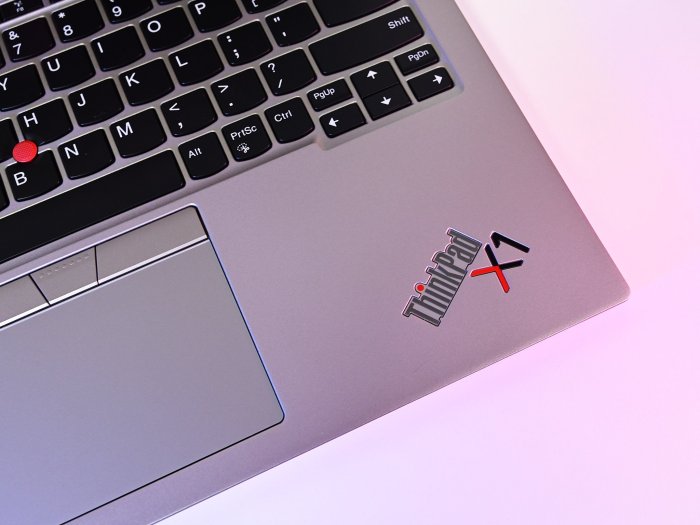
The advent of haptic touchpads has significantly transformed how users with disabilities interact with technology. By incorporating tactile feedback, these devices not only enhance the user experience but also empower individuals who may have previously encountered difficulties in navigating digital interfaces. The unique capabilities of haptic technology pave the way for more inclusive designs that cater to the diverse needs of all users.Haptic feedback is a powerful tool that allows individuals with visual impairments or other disabilities to receive sensory information through touch.
This form of feedback can indicate the success of actions, provide notifications, or guide users through complex tasks without relying solely on visual cues. Haptic touchpads can, therefore, create a more intuitive experience by allowing users to “feel” their interactions with their devices.
Features Enhancing Accessibility Through Haptic Feedback
Several specific features of haptic touchpads contribute to improved accessibility. These features are designed not only to serve general usability but also to support specific needs of users with disabilities. Below are notable examples:
Textured Feedback
-Haptic touchpads can simulate different textures through varying vibrations, allowing users to differentiate between different types of content. For instance, a rough texture could signify an alert, while a smooth one could indicate standard content.
Directional Feedback
-Users can receive feedback indicating the direction of navigation. This can be particularly beneficial for individuals with limited sight, as it helps them understand where they are within an interface.
Customizable Feedback Settings
-Users can often customize the intensity and type of feedback they receive. This personalization allows individuals to cater the touchpad’s responses to their specific needs, enhancing their overall interaction with the device.
Designers can play a crucial role in creating more inclusive experiences with haptic technology by incorporating the following insights into their design process:
Inclusive User Testing
-Involving individuals with various disabilities in the testing phase ensures that the haptic feedback is effective and meets the needs of all users.
Accessibility Guidelines Compliance
-Adhering to established accessibility standards, such as the Web Content Accessibility Guidelines (WCAG), will help ensure that haptic interfaces are usable by a broader audience.
Education and Training
-Providing training for users on how to effectively utilize haptic feedback can improve their experience and encourage greater adoption of technology among individuals with disabilities.
The integration of haptic touchpads is a step forward in making technology more accessible, fostering an environment where all users can engage with digital devices confidently and independently.
User Configuration and Customization of Haptic Settings
The ability for users to configure and customize haptic feedback settings plays a crucial role in enhancing the overall user experience. As technology evolves, users increasingly seek personalized interactions with their devices. Haptic feedback, which provides tactile responses to user actions, can significantly contribute to a more intuitive and engaging experience, making it essential for users to have control over these settings.Allowing users to customize haptic feedback settings is vital for accommodating various preferences and needs.
Different users may have unique sensitivities to touch, varying levels of dexterity, or personal tastes regarding the intensity and type of feedback. By enabling customization, developers can enhance accessibility, ensuring that all users can effectively interact with their devices. Customization ensures that haptic feedback aligns with personal preferences, fostering a sense of ownership and comfort.
Methods for Altering Haptic Feedback
To effectively enable users to customize their haptic feedback settings, a variety of methods can be utilized. These methods should be intuitive and accessible, allowing users to easily modify the feedback according to their preferences. The following approaches can be implemented:
- Settings Menu Integration: Incorporating haptic feedback options within the main settings menu allows users to easily access and modify their preferences. This section should provide sliders or toggles that allow users to adjust the intensity and duration of the feedback.
- Gesture-Based Controls: Implementing gesture controls that allow users to customize haptic feedback through simple gestures can enhance user engagement. For instance, a user can swipe to increase or decrease the intensity of haptic responses.
- Predefined Profiles: Providing users with predefined haptic feedback profiles tailored to different use cases, such as gaming, productivity, or accessibility, can help users quickly find suitable settings that enhance their experience.
- Real-Time Feedback: Allowing users to test haptic feedback settings in real-time as they modify them helps ensure that they can find the ideal configuration. This interactive approach increases user satisfaction and reduces frustration.
Implementation Tips for Developers
For developers aiming to create user-friendly customization options for haptic feedback, several best practices can guide the implementation process. Effectively integrating customization features requires attention to detail and user-centric design principles.
“User-centric design is key to creating an engaging experience that meets diverse user needs.”
- Simplicity and Clarity: Design the customization interface to be simple and clear, using straightforward language and visual indicators. Avoid jargon that may confuse users.
- Accessibility Considerations: Ensure that customization options are accessible to all users, including those with disabilities. This includes supporting screen readers and ensuring compatibility with assistive technologies.
- Feedback Mechanism: Implement a feedback mechanism to gather user insights on customization features. Understanding user preferences can guide future enhancements and updates.
- Documentation and Help Resources: Provide clear documentation and help resources to guide users through the customization process. Offering tutorials or FAQs can enhance user confidence and satisfaction.
Challenges in Haptic Touchpad Implementation
Integrating haptic feedback into touchpads presents several challenges that manufacturers must navigate. These challenges encompass technological hurdles, cost implications, and the pursuit of optimal user experience. Understanding these obstacles is essential for effective implementation and future advancements in haptic technology.One of the primary challenges faced in the implementation of haptic touchpads is the complexity of the technology itself. Manufacturers must ensure that the haptic feedback is not only responsive but also accurately mimics the sensation of physical buttons or tactile responses, which demands precision engineering and advanced materials.
This can lead to increased production times and costs.
Common Challenges Encountered
The integration of haptic technology into touchpads is fraught with various difficulties that can affect both performance and user satisfaction. Here are some notable challenges:
- Cost Implications: The materials and components required for haptic feedback systems often lead to higher manufacturing costs, which can affect pricing strategies and market competitiveness.
- Technological Limitations: Existing haptic technologies may not provide the desired tactile sensations or may be limited in their ability to deliver varied feedback across different touchpad surfaces.
- Power Consumption: The energy demands of haptic systems can be significant, impacting battery life in portable devices and necessitating efficient power management solutions.
- Integration with Software: Ensuring that the haptic feedback is synchronized with software applications can be challenging, as it requires advanced programming and testing to achieve a seamless user experience.
- Durability and Reliability: Haptic touchpads must withstand regular usage without degradation in performance, which raises concerns regarding the longevity of the components involved.
Innovative approaches and ongoing research are essential to overcoming these challenges. Manufacturers are exploring alternatives such as advanced actuators and materials that can provide precise and varied haptic feedback while minimizing cost and energy consumption. Collaborations between technology companies and research institutions are paving the way for breakthrough innovations that could redefine user interactions with touchpad interfaces.
“The future of haptic technology lies in its ability to enhance user experience without compromising on cost or performance.”
Quick FAQs
What is a haptic touchpad?
A haptic touchpad is a touch-sensitive device that provides tactile feedback to users, simulating the sensation of physical buttons or textures.
How does haptic feedback enhance user experience?
Haptic feedback enhances user experience by providing sensory responses that make digital interactions feel more intuitive and engaging.
Are haptic touchpads suitable for gaming?
Yes, haptic touchpads can enhance gaming experiences by providing realistic feedback that aligns with in-game actions, increasing immersion.
Can haptic touchpads help with accessibility?
Absolutely, haptic touchpads can improve accessibility by offering tactile cues that assist users with visual impairments in navigating devices more easily.
How can users customize haptic feedback settings?
Users can typically customize haptic feedback settings through device settings, allowing them to adjust the strength, duration, and patterns of feedback according to their preferences.

Rahmi Miller is a passionate technology writer at bulldogrool.com, specializing in emerging digital trends, smart innovations, and practical tech solutions for everyday life. With a keen eye for detail and a deep curiosity about how technology shapes the future, Rahmi delivers clear, engaging, and insightful content that helps readers stay ahead in a fast-moving digital world.